 ConvoShelf / Watch Later Shelf
Search and clean up YouTube Watch Later.
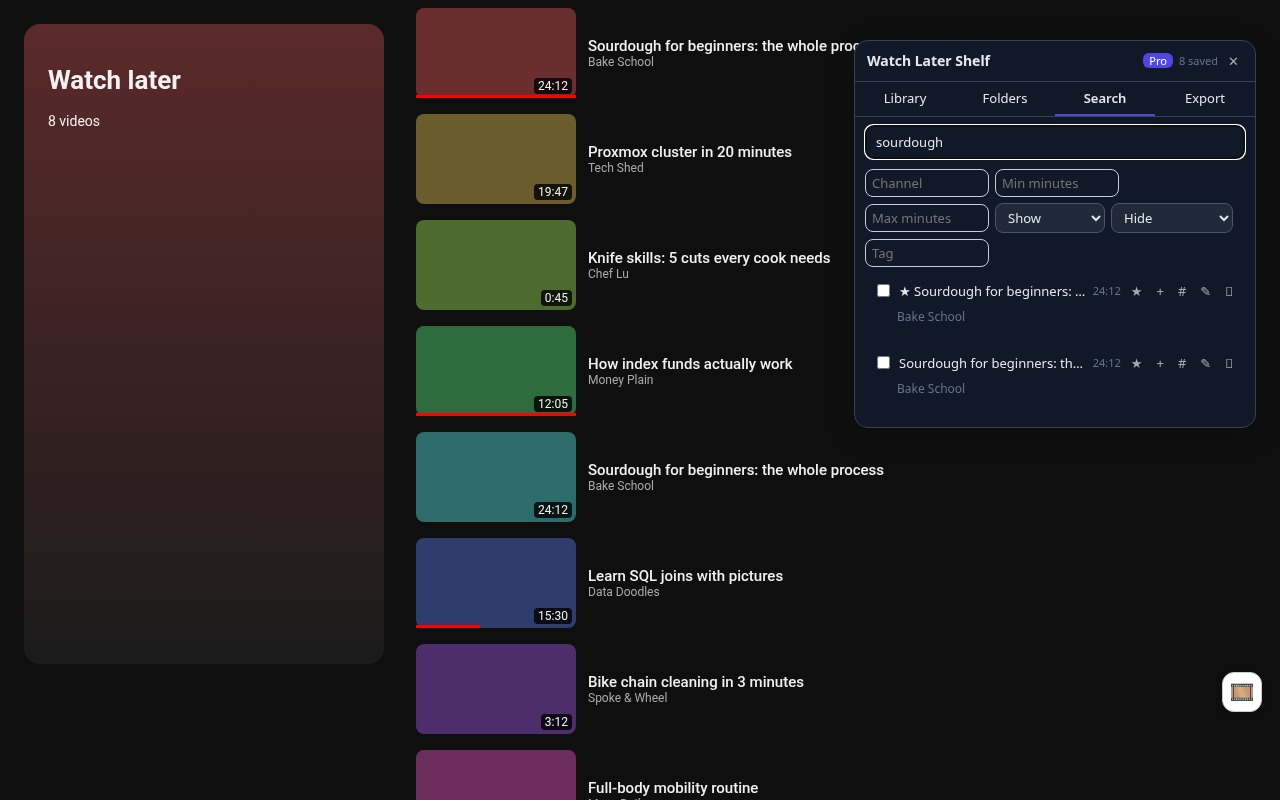
Watch Later has no search, no filters and no way to remove more than one video at a time. Watch Later Shelf indexes the list as you scroll, then lets you search it, tag it and clear out what you've watched.
Add to Chrome, free Chrome Web Store listing coming soonWhat it does
Find a video by title, channel or your own tags.
Length, channel, watched, started, Shorts and unavailable videos. Filters are Pro.
Pro: filter Show → Watched, Select all, Remove. No monthly removal cap.
Pro: the same video saved twice shows up as a pair.
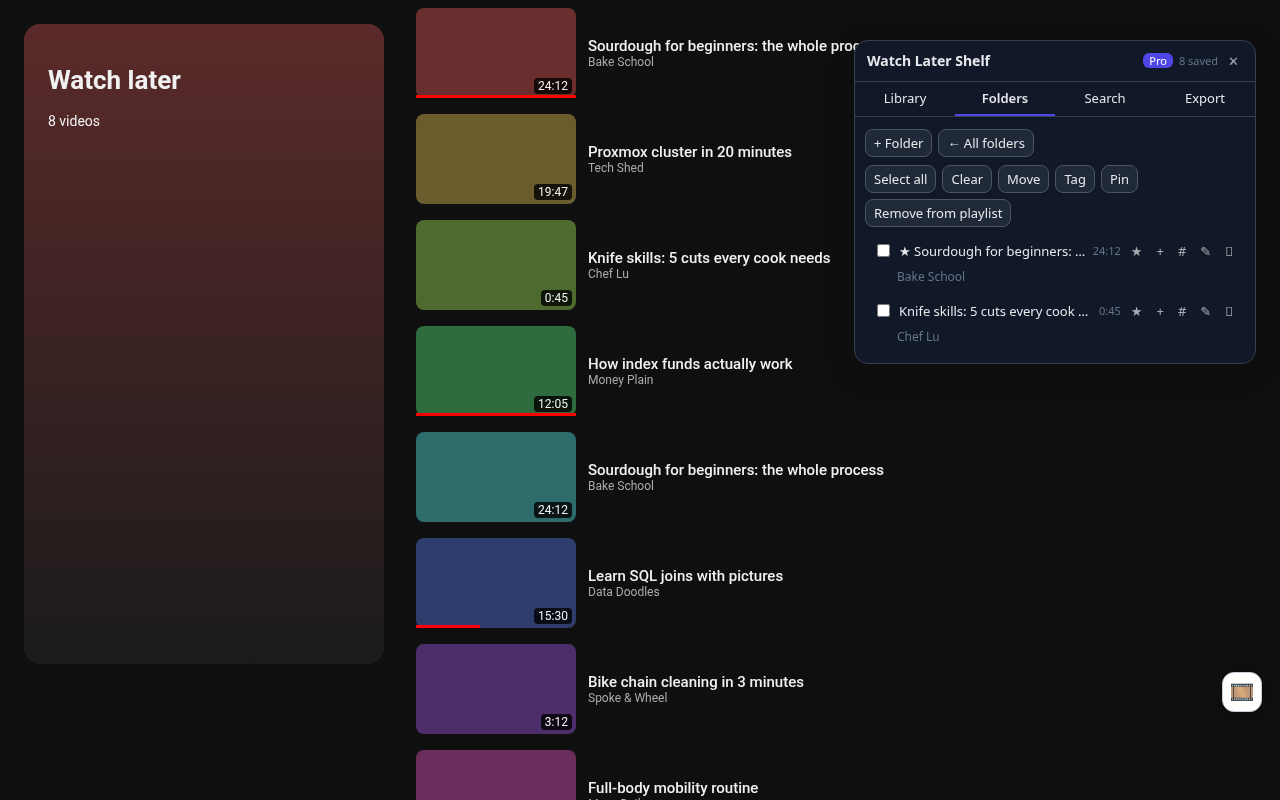
Unlimited local folders and tags on top of YouTube's list. Pro makes one per channel.
Copy a video link as Markdown, free. Pro exports CSV, JSON, Markdown or HTML.
Pricing
Free
- Index Watch Later or any playlist
- Search by title, channel, tag
- Unlimited folders and tags
- Pins
- Group by channel
- Watched, Shorts and unavailable flags
- Copy as Markdown
- Dark mode, shortcut, backup
Pro, $4.99 once
- Bulk remove, no monthly cap
- Remove watched in three clicks
- Duplicate finder
- Filters: length, channel, watched, Shorts
- Auto-folders by channel
- Export CSV, JSON, Markdown, HTML
- Notes, folder colors
Pro is a single payment, no subscription. Your license key unlocks it on your devices.
Install
Watch Later Shelf is waiting for Chrome Web Store review. This page will link to the listing as soon as it's live. Questions: toolshed+watchlater@mail.grokbot.com.
FAQ
How do I search my Watch Later list?
Install Watch Later Shelf, open youtube.com/playlist?list=WL, press Capture all in the 🎞 panel, then use the Search tab.
How do I delete all watched videos from Watch Later?
With Pro: in Search, set Show to Watched, press Select all, then Remove from playlist. Videos go one at a time, about 1.3 seconds each.
Is there a removal limit?
No. Pro has no monthly cap.
Does it work on other playlists?
Yes, any playlist page you can open.
Is Pro a subscription?
No. Pro is a single $4.99 payment.